
How to extract trade history from CommSec
If you need to calculate your Capital Gains Tax (CGT) or simply want to track your portfolio performance, the first step is to get your transaction data out of CommSec.
CommSec allows you to export your trade history as a CSV file, which can then be imported into tools like MyASX.
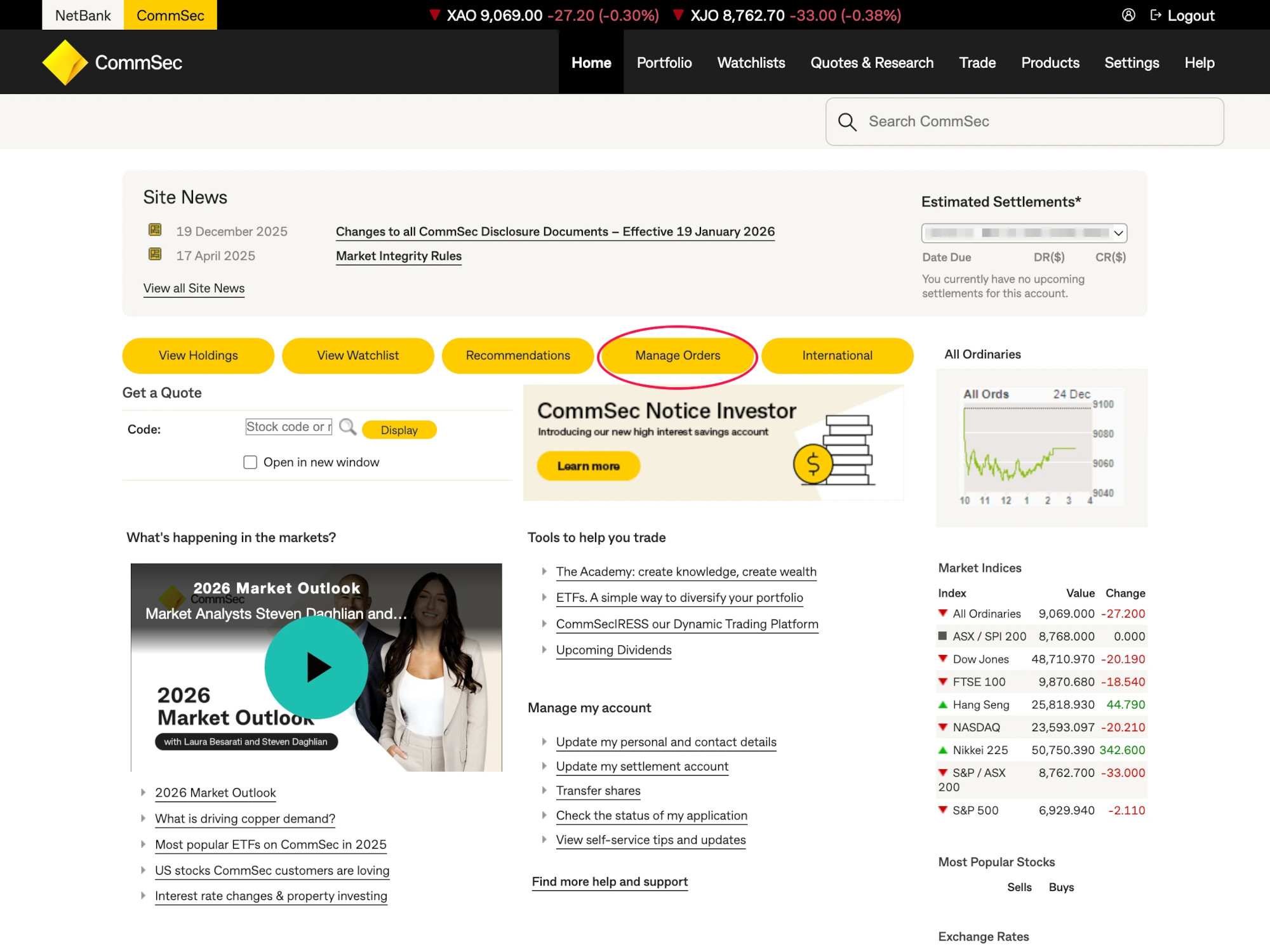
Step 1: Navigate to Manage Orders
First, log in to your CommSec account. Once logged in, navigate to the Portfolio menu and select the Manage Orders section.
Step 2: Access Confirmations and Export
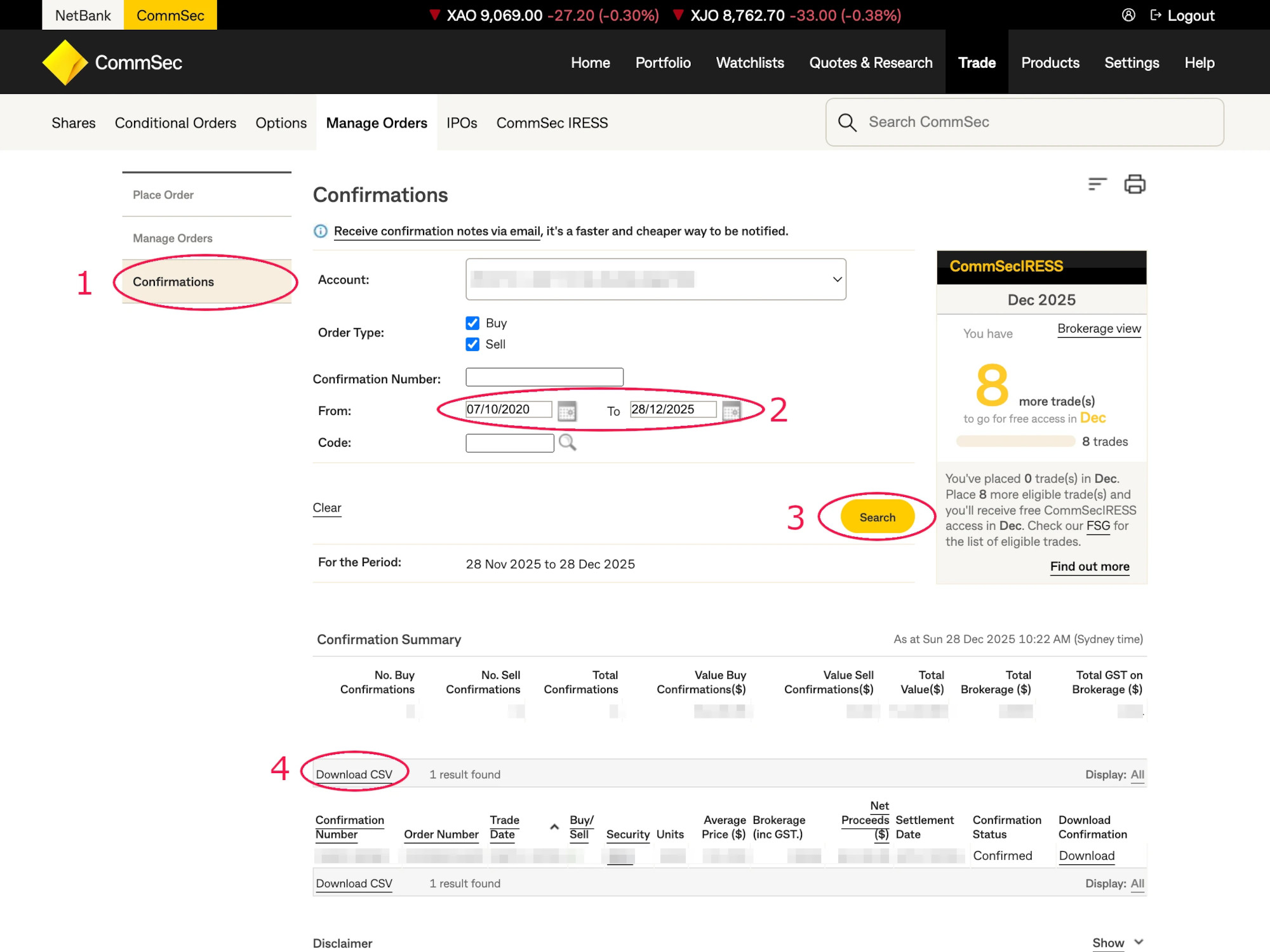
In the Manage Orders section, follow these steps to export your data:
- Click on the Confirmations tab. This tab contains the official records of your executed trades.
- Select a Date Range that covers the period you are interested in (e.g., the full financial year).
- Click on the Search button to load the transactions.
- Once the results are displayed, click on the Download CSV link located at the bottom or top of the list.
What's next?
After downloading your CSV file, you have a complete record of your CommSec trades. You can now:
- Keep it for your tax records.
- Upload it to the MyASX CGT Calculator to automatically calculate your Capital Gains Tax and discounts.
- Import it into a spreadsheet for personal analysis.