
How to Export Your NabTrade Transaction History
For many investors, the most tedious part of tax season is gathering trade data. Whether you're calculating Capital Gains Tax (CGT) or simply reviewing your annual performance, having a clean record of your NabTrade transactions is essential.
NabTrade makes this easy by allowing you to export your data into a CSV file—a format that is compatible with most spreadsheets and tax tools like MyASX.
Step 1: Select Your Trading Account
Begin by logging into your NabTrade account. From the main dashboard, identify and click on the specific trading account (e.g., Individual, Joint, or SMSF) that contains the history you wish to export.
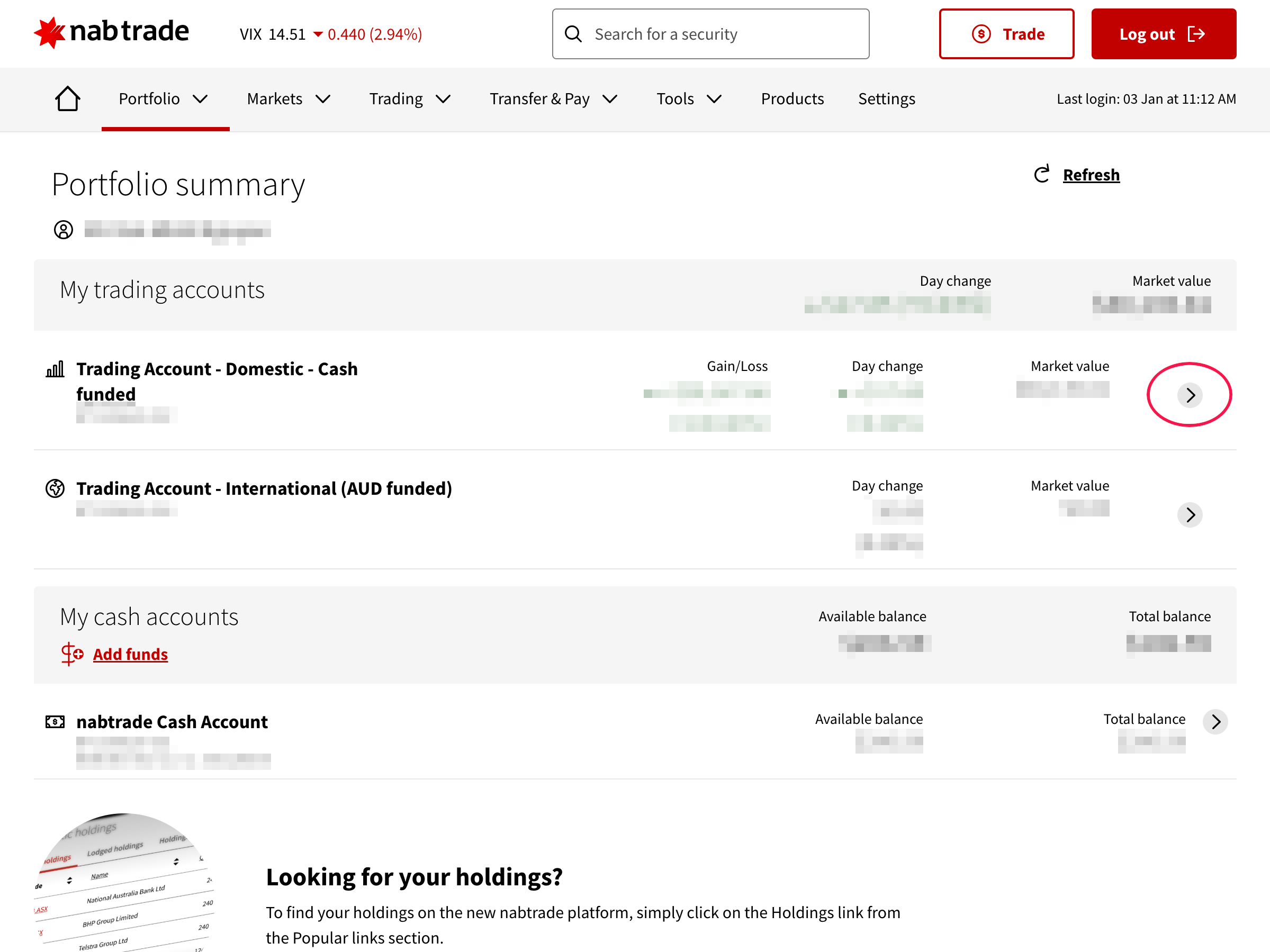
Step 2: Access the Confirmations Tab
Once you have selected your account, find the Confirmations tab in the secondary navigation menu. This section is the source of truth for all your executed trades and is the required data source for accurate record-keeping.
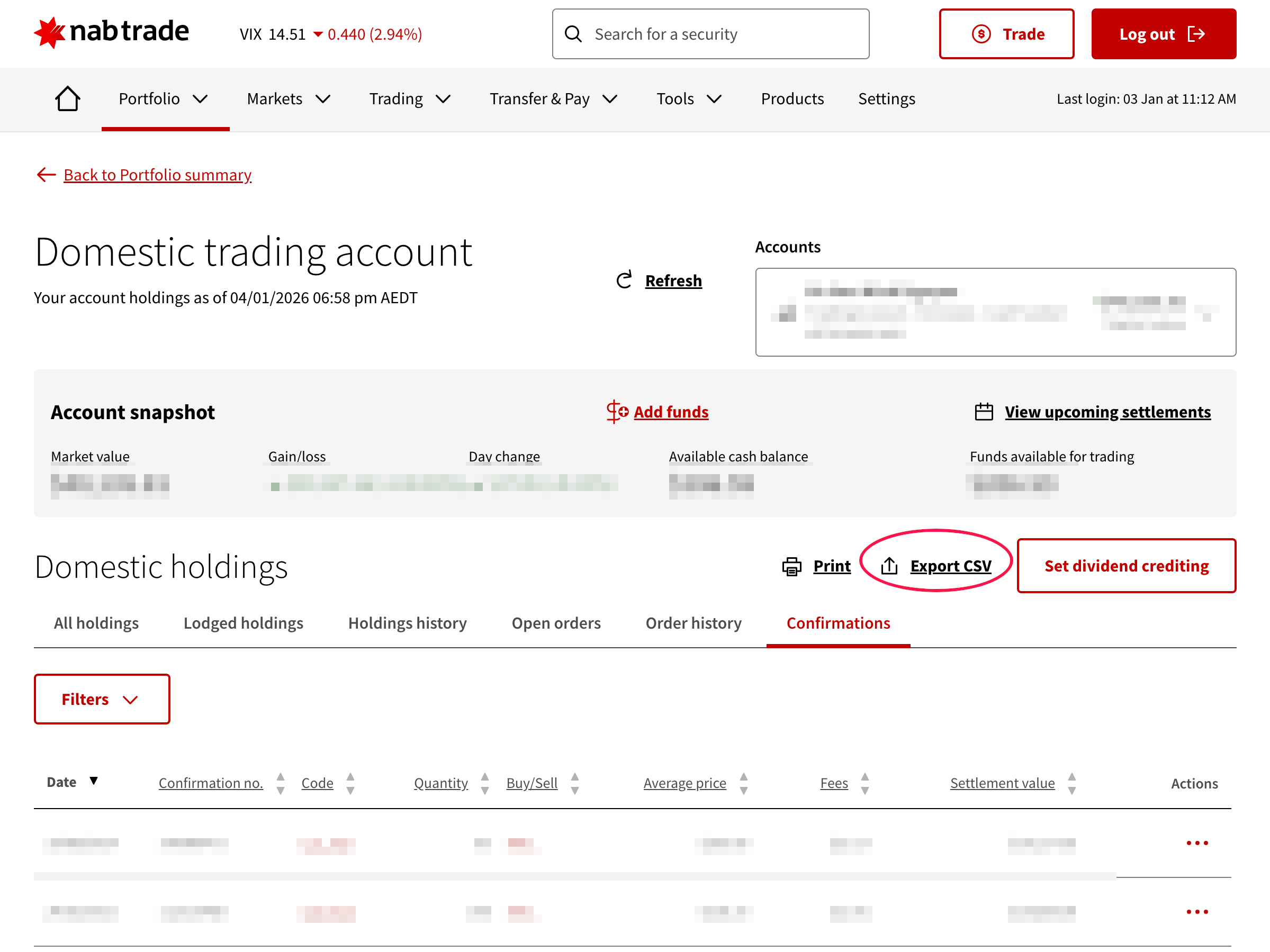
Locate the Export CSV link above the tabs. Clicking this will automatically generate and download your trade history in CSV format.
Why Should You Export Your History?
Having your trade data in a CSV format unlocks several benefits:
- Effortless CGT Calculation: Upload your file directly to the MyASX CGT Calculator to automatically process your gains, losses, and holding period discounts.
- Audit-Ready Records: Maintain indexed backups of your transactions for future tax audits or financial planning.
- Deep Dive Analysis: Easily import your trades into Excel or Google Sheets to build custom performance dashboards.
Join thousands of Australian investors who use MyASX to simplify their portfolio management.